 PuttLab by TeeLab
Two-putt
every hole
in 4 weeks
Hole everything inside 2 yards. Lag your first putt into a 2-yard circle. Practice by theme and by day, with a clear target to hit every session.
Leave your phone in your pocket on the green
Other putting apps want a tap after every putt. PuttLab only asks you to look before and log after.
Preview at home
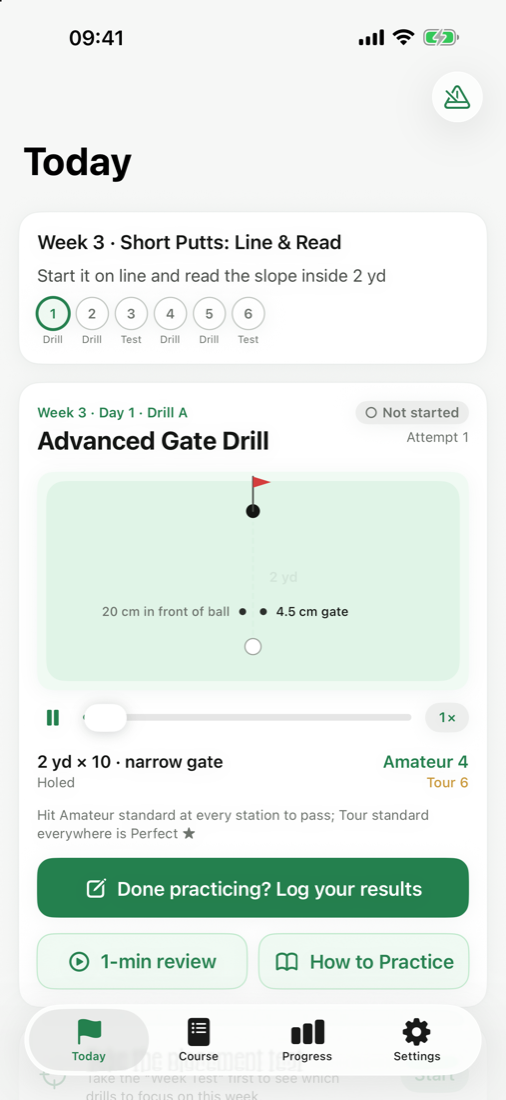
See today's drill: how to set up the green, how many balls per station, and the key moves, all animated.
Practice phone-free
Set up the balls like the diagram and focus on your stroke. Need tempo? Keep the metronome running in your pocket, even with the screen locked.
Log it in 30 seconds
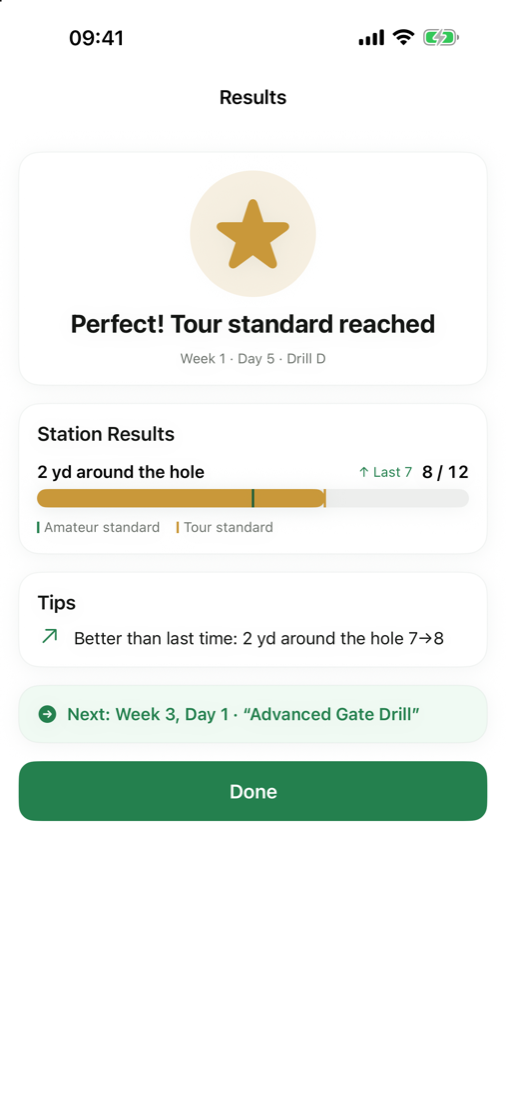
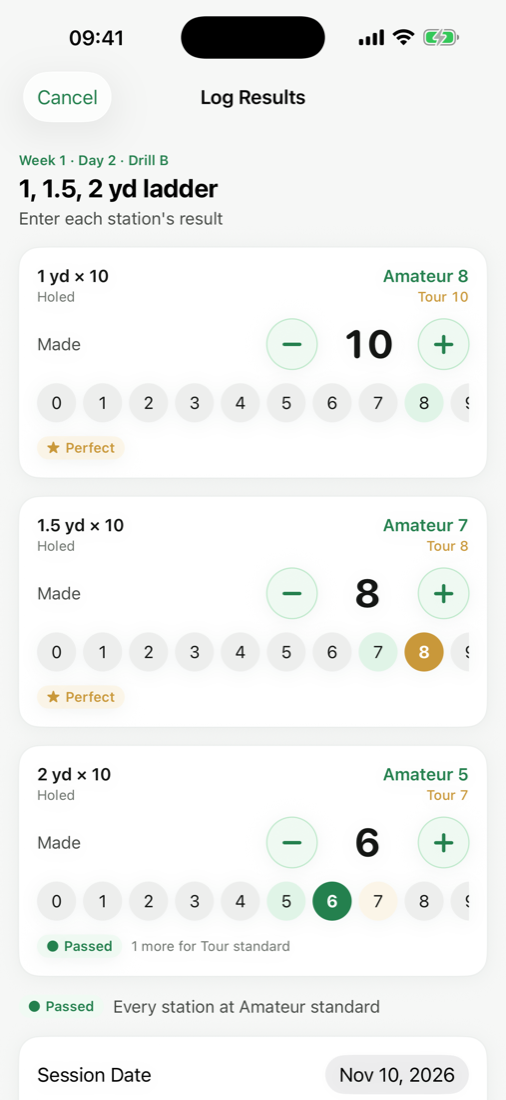
Tap how many you made at each station. You'll see right away whether you passed, where you fell short, and what to practice next.
One theme a week, six days per theme
Two drill days → checkpoint → two drill days → week test. Pass each day to move on; miss a test and you'll get make-up drills before you retake it.
Short-putt basics
Hole everything inside 2 yards
- Clock drill
- 1–1.5–2 yd ladder
- Gate drill
- Advanced clock
Lag into the 2-yard circle
First putt stops inside 2 yards
- Distance ladder
- Long lag putts
- Eyes-closed putting
- Uphill & downhill lags
Start line & reading
Start it on line, read the slope
- Narrow gate
- Coin line
- Uphill & downhill short putts
- Breaking putts
Two-putt every hole
Lag it close, knock it in
- Streak challenge
- One long, one short
- 9-hole two-putt challenge
- Pressure clock
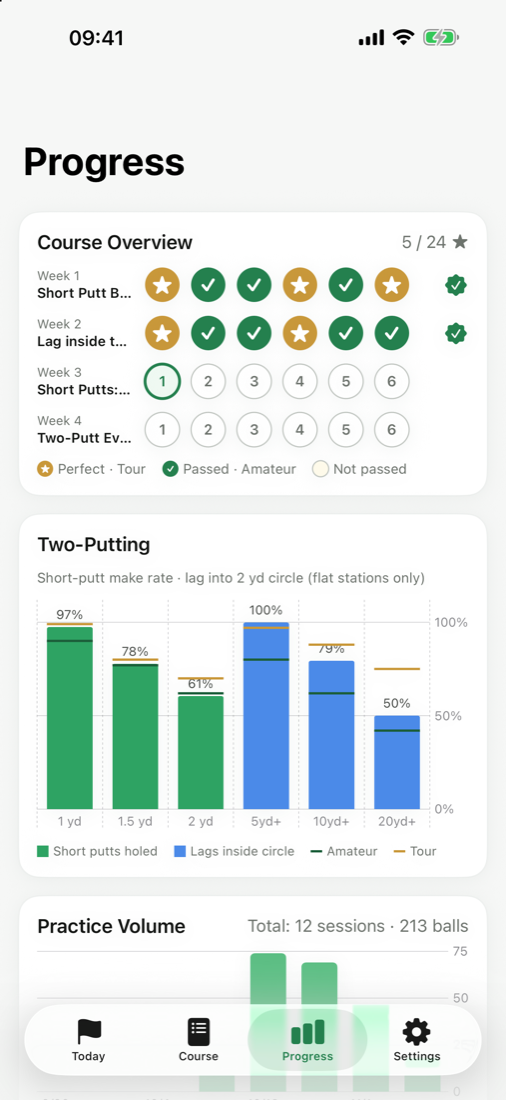
Pass at the amateur standard. Go Perfect at the Tour standard.
Every station has two lines, based on published golfer statistics. Two yards is the dividing line: it's where amateurs and pros differ most, and where practice pays off most.
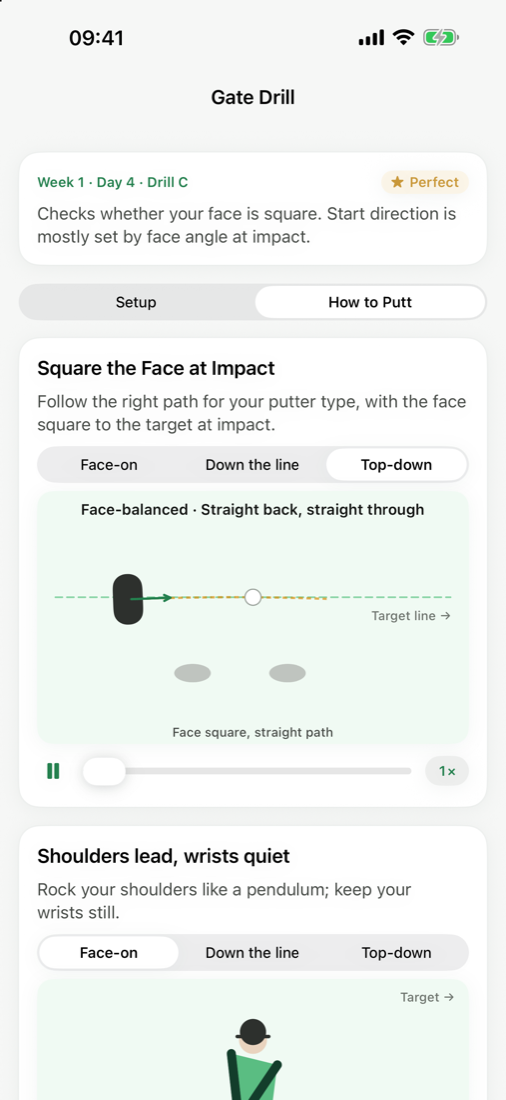
Every drill comes with animations that show you how
- How to set upStep-by-step setup animations: ball, gate, coin and 2-yard circle positions at a glance
- How to stroke itFace-on, down-the-line and top-down views, with slow motion and frame-by-frame scrubbing
- Tailored to your gearBlade, mallet, broomstick or arm-lock; reverse-overlap, cross-handed, claw or prayer grip
- 7 technique lessonsSetup, grip, pendulum, path and face, backstroke length, green reading, pre-putt routine
Know exactly where you fell short
- Two lines per stationEach progress bar marks both the amateur and Tour standard
- Compared with last timeSee which stations improved and which slipped
- Targeted adviceStuck on a day? It tells you which station to work on by itself
- Two-putt statsMake rates from 1, 1.5 and 2 yards, plus lag-into-circle rates over time
Take a look inside
Graduated? Take it to the course.
Finish all four themes, get your certificate, then set up a round with friends on TeeLab.
Frequently asked questions
Does it cost anything?
No. It's completely free, with no in-app purchases and no ads.
Do I need an account?
No. Open it and start. All your data stays on your phone and is never uploaded.
What happens to my data if I get a new phone?
Export a backup file in Settings → Data, then restore it on your new phone. Restoring a new iPhone from a full device backup also brings your data along.
Can I practice on an indoor putting mat?
The course is designed for a practice green. Short-putt drills work on a mat; lag drills need 5–25 yards, so head to a practice green for those.
Can I change the distance unit?
Yes. Switch between meters, yards and feet; course content and animations convert automatically.
Do I have to finish in 4 weeks?
"4 weeks" describes the structure: one theme per week. You move on by passing each day, so go at your own pace. Taking longer isn't failing.